Customer 360 API Integration Services for Connected Customer Systems
Connect CRM, ERP, customer service, marketing, e-commerce, analytics and custom applications through secure API integrations to create a connected Customer 360 environment.
NuageCX helps businesses design and implement Customer 360 API integrations that enable systems to exchange relevant customer information while addressing authentication, data mapping, synchronization, error handling, scalability, monitoring and security.
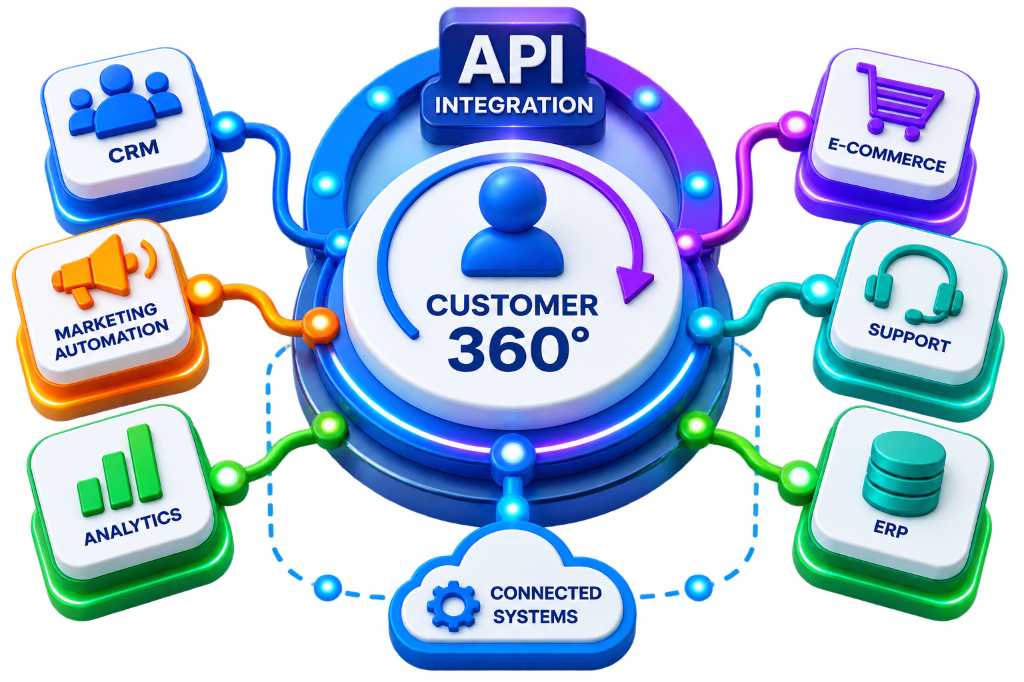
What Is Customer 360 API Integration?
Customer 360 API integration uses application programming interfaces to connect systems that create, store or use customer information without requiring users to manually move data between applications.
Customer Data Connected Across 13+ Business Platforms:
Why Is API Integration Important for Customer 360?
Customer information often needs to move between applications automatically as business events occur:
Reduced Manual Entry
Eliminate human data entry errors and hours spent copying records between tools.
Faster Information Exchange
Transfer customer records, order updates, and payments in milliseconds.
Connected Business Systems
Create unified data flows between sales, operations, and support software.
Improved Customer Visibility
Equip teams with immediate access to 360-degree customer records.
Automated Workflows
Trigger seamless business actions across tools from live customer events.
Better Data Consistency
Enforce uniform schema rules and prevent conflicting database values.
Operational Efficiency
Accelerate order fulfillment, quote generation, and case resolution cycles.
Scalable Connectivity
Easily plug in new SaaS platforms, mobile apps, or internal tools as you scale.
Rich Service Context
Arm customer support agents with instant delivery, invoice, and purchase history.
Connected Systems & Project Scope
API integration connects critical customer-facing and back-office applications across your ecosystem.
CRM APIs
Exchange customer, account, contact, lead, and opportunity records with back-office platforms.
ERP APIs
Expose real-time orders, products, inventory levels, shipments, and operational fulfillment data.
Finance APIs
Connect invoices, billing schedules, payment confirmations, and customer credit ledger status.
Customer Service APIs
Synchronize support tickets, warranty contracts, service SLA logs, and customer cases.
Marketing Automation APIs
Sync campaign interactions, lead attribution, form fills, and dynamic segmentation lists.
E-commerce APIs
Connect digital storefront checkouts, cart items, customer accounts, and payment webhooks.
Analytics & BI APIs
Stream real-time transactional and customer event datasets into executive BI reporting models.
Custom Application APIs
Integrate proprietary in-house tools, customer portals, and internal microservices via REST/GraphQL.
What Does a Customer 360 API Integration Include?
Typical API Integration Execution Lifecycle
Customer 360 API Integration Process
A structured 10-stage execution methodology for reliable, scalable system-to-system connectivity.
Define the Business Requirement
Determine exact API integration goals: customer sync, CRM-ERP order handover, inventory refresh, and support desk visibility.
Identify Connected Systems
Document source and target applications, data owners, API endpoint availability, auth methods, and business dependencies.
Assess API Capabilities
Evaluate available endpoints, request verbs (GET/POST/PUT/PATCH), auth mechanisms, rate limits, payloads, and webhook triggers.
Define the Entity Data Model
Model exchanged entities across Customer, Account, Contact, Product, Order, Invoice, Payment, and Support Case objects.
Map API Data & Schemas
Establish field-level mappings (CRM Account ID ➔ ERP Customer ID, E-commerce Order ➔ ERP Sales Order) with strict validation.
Define API Workflows & Rules
Configure event triggers, transformation logic, target CRUD actions, response formatting, rate limiting, and retry policies.
Implement the API Integration
Develop robust API pipelines using enterprise middleware, custom connectors, or native integration platforms.
Test API Workflows & Failures
Validate token authorization, payload schemas, error status codes (4xx/5xx), network timeout recoveries, and security.
Deploy to Production
Release tested API connectors into production environments using staged rollouts and strict change management SOPs.
Monitor and Optimize
Continuously monitor API health, response latencies, error queues, rate-limit thresholds, and payload schema versions.
REST API Operations
Exchange customer and business records through standard HTTP request methods:
Webhook Event Triggers
Notify connected applications instantly when defined business events occur without polling:
Customer 360 API Data Mapping Model
| Source Field / Record | Target API Endpoint Entity |
|---|---|
| CRM Customer ID | ERP Customer ID |
| CRM Contact Record | Service Desk Contact |
| CRM Account Record | ERP Customer Account |
| E-commerce Order ID | ERP Sales Order |
| ERP Invoice Record | CRM Account Billing Ledger |
| Service Case Record | CRM Customer Ticket History |
| Product ID | E-commerce Product Catalog |
API Authentication
OAuth 2.0, access tokens, encrypted API keys, and client credentials configured per system specs.
Rate Limit Management
Traffic queuing, batch payload grouping, and intelligent throttling to prevent 429 errors.
Idempotent Retry Logic
Automated exponential backoff with dead-letter queueing to safely retry transient failures.
API Version Management
Deprecation schedules, schema versioning, and backward-compatible contract testing.
API Integration Architecture Patterns
Why enterprise middleware and API gateways scale far better than brittle point-to-point connections.
Point-to-Point Integration
Direct connections between every individual system (CRM ↔ ERP, CRM ↔ E-commerce, ERP ↔ Finance, Service ↔ CRM).
Hub & Spoke API Gateway Fabric
A centralized integration layer handles routing, authentication, data transformation, retry queues, and monitoring.
Customer 360 CRM Integration
Connect CRM with ERP, service, finance, and marketing platforms via secure API pipelines.
Customer 360 ERP Integration
Connect ERP orders, inventory, billing ledgers, and payments with customer-facing systems.
Industry API Integration Architectures
Connecting APIs to real-world industrial and subscription workflows.
Manufacturing & Supply Chain APIs
Connects sales quotes with shop floor execution, live warehouse inventory APIs, automated dispatch webhooks, and post-sales warranty cases.
SaaS & Digital Subscription APIs
Synchronizes recurring Stripe/Zoho billing, automated license provisioning, real-time in-app usage events, and churn prediction scoring.
Customer 360 API Integration Challenges
API Integration Best Practices
Phased Rollout Strategy & Prioritization
A structured multi-phase execution that accelerates time-to-value while safeguarding live business operations.
CRM & Core Customer Data
Connect customer master accounts, contacts, and lead attribution APIs.
ERP & Order Pipelines
Connect sales orders, warehouse inventory levels, and dispatch webhooks.
Finance & Billing APIs
Expose invoices, payments, credit limits, and collections webhooks.
Customer Service APIs
Integrate support cases, warranty contracts, and service desk tickets.
E-commerce & Marketing
Connect digital storefront checkouts and marketing automation events.
Analytics & Automation
Deploy unified BI pipelines, lifecycle telemetry, and autonomous workflows.
Why Choose NuageCX for Customer 360 API Integration?
API Integration Architecture
Design API connectivity around real customer journeys and technical scale requirements.
CRM API Integration
Connect CRM with ERP, finance, customer service, and marketing applications.
ERP API Integration
Connect operational and transactional information with front-office sales and support.
Data Mapping & Transformation
Map and transform customer information across complex nested JSON/XML schemas.
Real-Time Connectivity
Implement low-latency REST and webhook pipelines where immediate sync creates value.
Event-Driven Architecture
Use events and webhooks to trigger responsive cross-system workflows.
Enterprise API Security
Apply OAuth 2.0 authentication, granular role authorization, and data encryption.
Resilient Error Recovery
Design exponential backoff retries, dead-letter queues, and alert notifications.
24/7 API Monitoring
Track API latency percentiles, error rates, and payload synchronization health.
Zoho Ecosystem Mastery
Integrate Zoho CRM, Zoho Books, Zoho Desk, and Zoho Creator within broader architectures.
Autonomous Automation
Use API-connected systems to support automated cross-platform business workflows.
Full-Lifecycle Implementation
Provide end-to-end support: assessment, architecture, mapping, development, testing, and deployment.
Frequently Asked Questions
Everything you need to know about Customer 360 API integration, REST operations, webhooks, security, costs, and timeline.
Connect Your Systems Through Customer 360 API Integration
Customer 360 requires more than having customer information in separate applications.
NuageCX helps businesses assess API capabilities, design integration architecture, map customer data, connect applications and build secure Customer 360 API integrations.