Customer 360 ERP Integration Services for Connected Customer & Business Data
Connect ERP with CRM, finance, customer service, e-commerce, analytics and other business systems to create a connected Customer 360 environment.
NuageCX helps businesses integrate ERP systems with customer-facing and operational applications to connect customer, order, product, inventory, billing and financial information across the business.
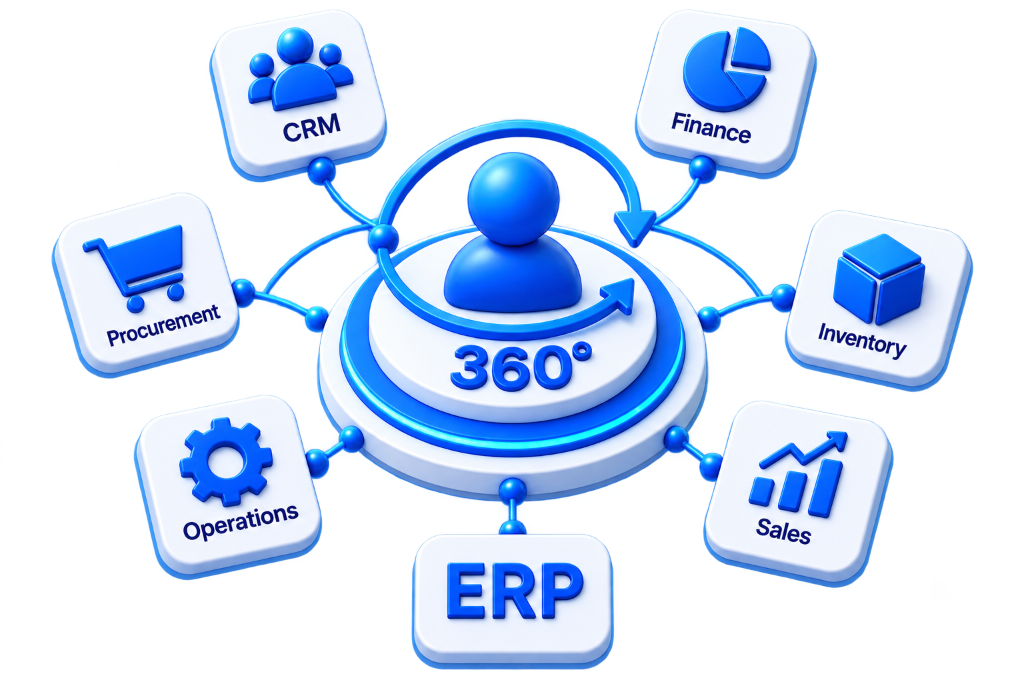
What Is Customer 360 ERP Integration?
Customer 360 ERP integration connects an ERP system with other business applications that contain or use customer information according to defined business processes and data governance rules.
An ERP May Contain:
- Customer Master Accounts
- Sales Orders & Lines
- Product Catalogs
- Real-Time Inventory Status
- Invoices & Billing Records
- Payments & Collections
- Shipment & Delivery Logs
- Fulfillment Status
- Tiered Pricing Models
- Financial Transactions
Other Connected Systems May Contain:
- Leads & Inquiries
- Contacts & Roles
- Sales Opportunities & Pipelines
- Customer Meeting History
- Support & Service Tickets
- Marketing Campaign Engagement
- Website & Portal Activity
- Online E-commerce Checkouts
- Predictive Customer Analytics
Customer 360 ERP integration connects relevant operational and financial data with customer-facing systems so teams operate with shared, trustworthy customer context.
Why Is Customer 360 ERP Integration Important?
Customer information often exists across CRM, ERP, service, finance and other systems. Without integration, teams are forced to manually transfer orders, build reports from disconnected spreadsheets, and operate without real-time inventory visibility.
Reduce Manual Data Entry
Eliminate repetitive re-entry of customer accounts, products, and order lines.
Improve Customer Visibility
Equip sales and account teams with complete order, invoice, and payment history.
Connect Sales and Operations
Bridge CRM sales opportunities directly with ERP production and fulfillment pipelines.
Improve Order Visibility
Provide real-time order status, tracking numbers, and delivery dates to customer reps.
Enhance Financial Context
Give authorized users immediate access to customer credit limits and invoice statuses.
Support Customer Service
Arm support agents with warranty, purchase, and shipment data to resolve cases faster.
Improve BI Reporting
Generate accurate revenue, inventory, and customer profitability analytics automatically.
Enable Workflow Automation
Trigger automatic task assignments, alert emails, and status escalations from ERP events.
Reduce Disconnected Data
Establish single authoritative systems of record and eliminate conflicting records.
What Does Customer 360 ERP Integration Include?
An enterprise ERP integration fabric covers all 22 operational, financial, and governance capabilities:
Customer 360 ERP Operating Model
Customer 360 ERP Integration Process
A structured 10-stage execution methodology for reliable, low-risk cross-system connectivity.
Define the Business Objective
Determine why ERP integration is required: synchronize customers, connect sales and operations, improve order visibility, and automate billing.
Identify Connected Systems
Document all involved platforms across CRM, ERP, Finance, Customer Service, E-commerce, and Business Intelligence.
Identify Data to Move
Pinpoint customer, account, contact, order, product, inventory, invoice, payment, shipment, and pricing datasets.
Define System Ownership
Establish authoritative systems of record (CRM owns relationship info; ERP owns orders & inventory; Finance owns transactions).
Map ERP Data & Schemas
Define how ERP customer IDs, product IDs, sales orders, and invoices correspond with CRM accounts and service desks.
Define Synchronization Rules
Establish sync triggers, record scope, field attributes, directionality, polling frequencies, conflict logic, and error rules.
Build the Integration
Implement connections using REST APIs, webhooks, enterprise middleware, and event-driven architectures.
Validate the Data
Test accuracy, completeness, consistency, record matching, data transformation, deduplication, and error recovery.
Test Business Workflows
Simulate end-to-end scenarios: New Customer (CRM ➔ ERP), Won Deal (CRM ➔ ERP Order ➔ Fulfillment), Invoice (ERP ➔ CRM).
Monitor and Optimize
Continuously track API health, processing latency, error queues, sync integrity, and user adoption across teams.
Operational & Financial ERP Modules
Connecting core operational, financial, inventory, and fulfillment domains across the customer lifecycle.
CRM and ERP Integration
Connect sales pipeline (leads, contacts, deals) with operational ERP backends (orders, products, inventory, fulfillment, invoices, payments).
ERP Customer Data Integration
Synchronize Customer ID, customer name, contact details, address, account status, credit terms, and billing classifications with CRM.
ERP Order Integration
Connect won opportunities into ERP sales orders, automate warehouse dispatch, and sync live delivery tracking back to CRM.
ERP Product Integration
Maintain ERP as the single source of truth for product SKUs, categories, tiered pricing, availability, and catalog specifications.
ERP Inventory Integration
Expose warehouse stock availability and backorder statuses to sales reps, e-commerce storefronts, and customer portals in real time.
ERP Invoice & Payment Integration
Provide authorized commercial teams with real-time visibility into invoice numbers, due dates, paid balances, and credit holds.
Customer 360 ERP Data Mapping Model
| ERP Information | Connected System Target |
|---|---|
| Customer ID | CRM Account ID |
| Customer Contact | CRM Contact |
| Sales Order | CRM Order |
| Product ID | CRM Product Catalog |
| Inventory | E-commerce Storefront |
| Invoice | CRM / Finance Ledger |
| Payment Status | Finance / CRM Account |
| Shipment Status | CRM / Customer Service Desk |
Industry ERP Integration Architectures
Connecting ERP pipelines to industry-specific operational flows.
Manufacturing
Connects sales estimates with plant scheduling, raw material inventory, dispatch logistics, and warranty service.
SaaS & Subscriptions
Synchronizes recurring billing, subscription changes, invoice reconciliation, and revenue recognition.
Digital E-commerce
Connects online checkouts with automated warehouse fulfillment, stock reservation, and courier tracking.
Professional Services
Bridges sales proposals with consultant time tracking, milestone project delivery, and client billing.
ERP Integration Security Controls
- OAuth Authentication
- Role-Based Access Control
- End-to-End Encryption
- Audit Logging
- API Rate Limiting
- Secure Credential Vaults
- Access Monitoring
- Integration Permissions
ERP Governance Standards
- Customer Data Ownership
- Product Master Standards
- Order Ownership Policies
- Financial Ledger Governance
- System of Record Rules
- Data Synchronization SLAs
- Change Management SOPs
- Integration Ownership
ERP Integration Challenges
ERP Integration Best Practices
Phased Rollout Strategy & Prioritization
Structured multi-phase execution that accelerates time-to-value while safeguarding business operations.
Customer & Account Sync
Synchronize customer master records, address books, and identity matching.
CRM & Order Integration
Connect won opportunities with ERP sales orders and fulfillment pipelines.
Product & Inventory Integration
Synchronize SKU catalogs, tiered pricing, and warehouse stock levels.
Invoice & Payment Integration
Expose billing ledgers, payment receipts, and credit balances.
Customer Service & E-commerce
Connect digital storefronts and helpdesk warranty tracking.
Analytics & Automation
Deploy executive BI dashboards, automated workflow triggers, and continuous optimization.
Why Choose NuageCX for Customer 360 ERP Integration?
CRM and ERP Integration
Connect customer-facing and operational systems according to business requirements.
Customer Data Integration
Synchronize relevant customer information across all enterprise databases.
Order Integration
Connect sales orders and operational fulfillment processes without manual transfer.
Product & Inventory Integration
Connect product catalogs and live inventory levels across sales channels.
Finance Integration
Connect invoices, receipts, and financial context with relevant customer systems.
Customer Service Integration
Provide service teams with relevant operational, warranty, and shipment information.
Analytics Integration
Connect ERP information directly with executive reporting and BI KPIs.
Workflow Automation
Use integrated information to trigger automated cross-system business workflows.
Zoho Ecosystem Expertise
Integrate Zoho ERP, Zoho CRM, Zoho Books, and Zoho One within broader architectures.
Data Governance
Define system ownership, data schema standards, and synchronization rules.
Enterprise Security
Apply end-to-end encryption, OAuth credentials, and role-based access controls.
End-to-End Implementation
Support assessment, architecture, data mapping, integration, testing, and deployment.
Frequently Asked Questions
Everything you need to know about Customer 360 ERP integration, CRM connectivity, order management, costs, and timeline.
Connect Your ERP to a More Complete Customer 360
ERP contains some of the most important operational and financial information in a business.
NuageCX helps businesses assess, design and implement Customer 360 ERP integrations based on their systems, data and business requirements.