Customer 360 CRM Integration Services for Connected Customer Data
Connect your CRM with ERP, finance, customer service, marketing, e-commerce and other business systems to create a more connected Customer 360 environment.
NuageCX helps businesses design and implement Customer 360 CRM integrations that connect customer records, sales information, operational data and customer interactions while maintaining data quality, system ownership and business process alignment.
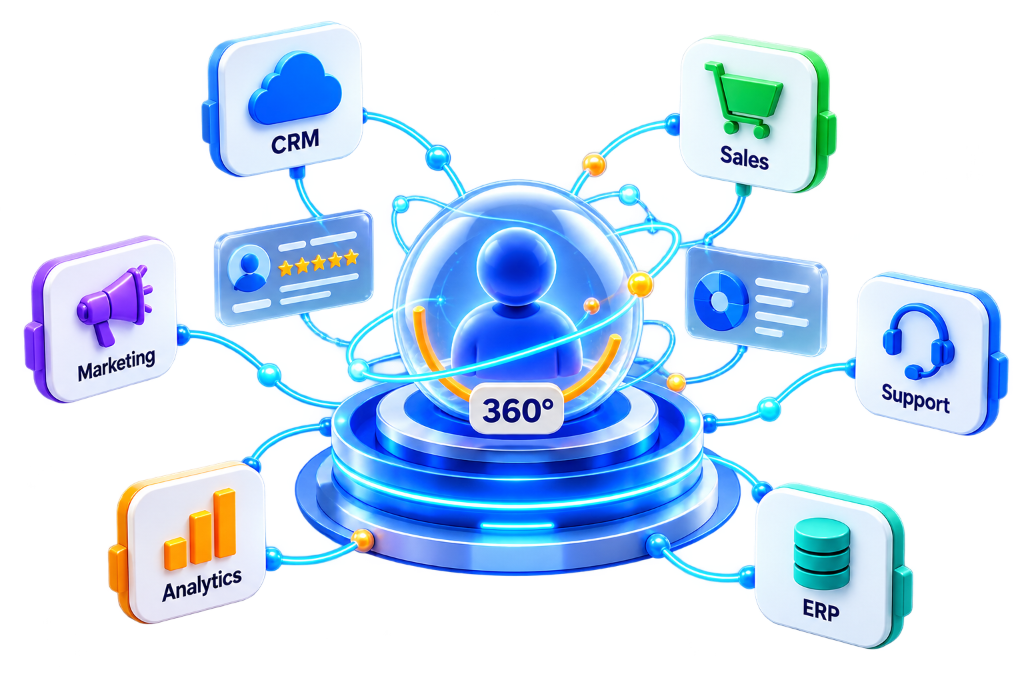
What Is Customer 360 CRM Integration?
Customer 360 CRM integration connects CRM with other systems that contain relevant customer, commercial, operational or service information.
A CRM May Contain:
- Leads & Inquiries
- Contact Records
- Customer Accounts
- Sales Opportunities
- Sales Activities
- Customer Interactions
Other Business Systems May Contain:
- Orders & Fulfillment
- Invoices & Billing
- Payments & Credits
- Inventory Status
- Support & Service Tickets
- Marketing Engagement
- Product Catalog Info
- Financial Transactions
The objective is to provide teams with the customer context they need without forcing every process into the CRM.
Why Is Customer 360 CRM Integration Important?
Customer information is rarely contained entirely within a CRM. Without integration, sales reps cannot see active invoices, support reps cannot view open deals, and finance lacks visibility into account relationships.
Reduce Data Silos
Connect isolated departmental applications into a synchronized customer network.
Eliminate Manual Data Entry
Automate cross-system record creation between sales, finance, and operations.
Improve Customer Visibility
Arm commercial teams with 360-degree account context and interaction history.
Synchronize Relevant Records
Keep customer profiles, orders, and tickets identical across all databases.
Empower Sales Processes
Provide sales reps with live inventory levels, credit balances, and fulfillment status.
Enrich Service Context
Equip support agents with complete purchase, SLA, and contract terms.
Improve Cross-System Reporting
Build comprehensive executive BI dashboards without manual spreadsheet reconciliation.
Support Workflow Automation
Trigger automatic task assignments, email alerts, and status escalations from CRM events.
Reduce Duplicate Information
Establish single authoritative records and resolve duplicate customer accounts.
What Systems Can Be Integrated With a CRM?
Depending on business requirements, CRM can be connected across all commercial and operational tiers:
What Does Customer 360 CRM Integration Include?
A complete CRM integration scope covers functional, transformation, synchronization, and governance capabilities:
Customer 360 CRM Integration Process
A structured 10-stage execution methodology for reliable, low-risk cross-system connectivity.
CRM Operating Architecture Flow:
Define Business Objective
Identify what integration achieves: connect CRM and ERP, eliminate manual data entry, improve sales visibility, and automate workflows.
Identify Connected Systems
Document every platform across the customer lifecycle: CRM, ERP, Accounting, Customer Service, and Marketing Automation.
Identify Data to Move
Pinpoint customer, account, contact, lead, opportunity, order, product, invoice, payment, and service case records to sync.
Define System Ownership
Establish authoritative systems of record (CRM owns relationship data; ERP owns order ledgers; Finance owns invoices).
Map CRM Data & Schemas
Align field names, data types, identifiers, relationships, and transformation rules across connected applications.
Define Synchronization Rules
Establish sync triggers, directionality (uni/bidirectional), frequency, conflict resolution logic, and failure handling.
Implement the Integration
Build secure connections using REST APIs, webhooks, middleware pipelines, and event-driven architectures.
Test the Integration
Validate data accuracy, completeness, record matching, deduplication logic, transformation rules, and security controls.
Test Real Business Scenarios
Simulate live workflows: New Customer (CRM ➔ ERP ➔ Service), Won Deal (CRM ➔ ERP Order ➔ Invoice ➔ Financial Ledger).
Monitor and Optimize
Continuously track API health, sync latency, error logs, and user adoption to scale with evolving business needs.
Cross-System CRM Integration Deep Dives
Connecting customer relationship management with specialized enterprise platforms.
CRM and ERP Integration
Connect sales pipeline (leads, contacts, deals) with operational backends (orders, products, inventory, fulfillment, invoices, payments).
CRM and Finance Integration
Connect CRM customer accounts with invoices, received payments, outstanding receivables, credit terms, and transaction histories for authorized account reps.
CRM and Service Integration
Integrate CRM profiles with help desk tickets, resolution times, SLA tiers, and service history so support agents have complete commercial context.
CRM and Marketing Integration
Sync marketing campaigns, lead engagement scores, form submissions, and email interactions with CRM opportunity pipelines.
CRM and E-commerce Integration
Connect online shopping carts, store checkouts, product purchases, and order tracking directly with CRM customer accounts.
CRM and Analytics Integration
Feed clean CRM pipelines into enterprise BI platforms for pipeline velocity, customer lifetime value (LTV), retention, and churn analysis.
Customer 360 CRM Data Mapping Model
| CRM Information | Connected System Target |
|---|---|
| Account ID | ERP Customer ID |
| Contact ID | Service Desk Contact ID |
| Opportunity | Sales Reporting & BI |
| Order | ERP Order Management |
| Invoice | Finance Ledger |
| Service Case | Customer Service Helpdesk |
Industry CRM Integration Workflows
Adapting CRM data pipelines to industry-specific operational architectures.
B2B & Manufacturing
Preserves parent-subsidiary account hierarchies, multi-tier pricing contracts, and connects sales quotes with plant production.
SaaS & High-Tech
Unites recurring MRR billing, contract tier upgrades, product usage telemetry, and customer health risk scoring.
Professional Services
Connects client project estimates with consultant utilization, milestone delivery tracking, and retainer invoicing.
6 Core Dimensions of CRM Data Quality
Accuracy
Information correctly reflects real-world customer attributes.
Completeness
All mandatory commercial and operational fields are populated.
Consistency
Values match across CRM, ERP, and service databases.
Timeliness
Data is synchronized without latency delays.
Uniqueness
Zero duplicate records across accounts and contacts.
Validity
Records adhere to defined syntax, type, and schema rules.
CRM Integration Challenges
CRM Integration Best Practices
CRM Integration Roadmap & Phasing
A structured phased methodology to deliver rapid, measurable ROI while mitigating operational risk.
CRM & Core Master Data
Sync customer accounts, contacts, leads, and establish identity resolution.
ERP & Operational Info
Connect orders, products, inventory, invoices, and payment statuses.
Finance & Invoicing
Integrate billing, payment credit limits, and financial ledger data.
Customer Service Desk
Connect support tickets, service cases, and SLA resolution tracking.
Marketing & E-commerce
Sync campaign tracking, online orders, store checkout, and shopping activity.
Analytics & Automation
Deploy executive BI reporting dashboards, workflow triggers, and continuous optimization.
Why Choose NuageCX for Customer 360 CRM Integration?
Customer 360 Architecture
Design CRM integrations around real customer journeys and business processes.
CRM and ERP Integration
Connect sales and operational backends with deep multi-system expertise.
Data Integration Mastery
Map, transform, validate, and synchronize multi-system customer datasets.
Customer Identity Resolution
Establish consistent customer relationships and parent-subsidiary trees.
Data Quality Focus
Eliminate duplicate, incomplete, and inconsistent CRM information.
Analytics Integration
Connect CRM data directly with executive BI dashboards and KPIs.
Workflow Automation
Trigger cross-system automated actions from customer lifecycle events.
Zoho Expertise
Certified capabilities across Zoho CRM, Zoho Books, Zoho Desk, and Zoho One.
Data Governance
Establish system ownership, schema standards, and data quality controls.
Enterprise Security
End-to-end encryption, OAuth credentials, and role-based access management.
End-to-End Implementation
Support assessment, architecture, mapping, integration, testing, deployment, and optimization.
Frequently Asked Questions
Everything you need to know about Customer 360 CRM integration, ERP connectivity, identity matching, costs, and timeline.
Connect Your CRM to a More Complete Customer 360
CRM can provide a strong foundation for customer relationship management, but customer context often extends beyond the CRM.
NuageCX helps businesses connect CRM with ERP, finance, service, marketing, e-commerce, analytics and other relevant systems to build a more connected Customer 360 environment.