Ready to start?Request Consulting

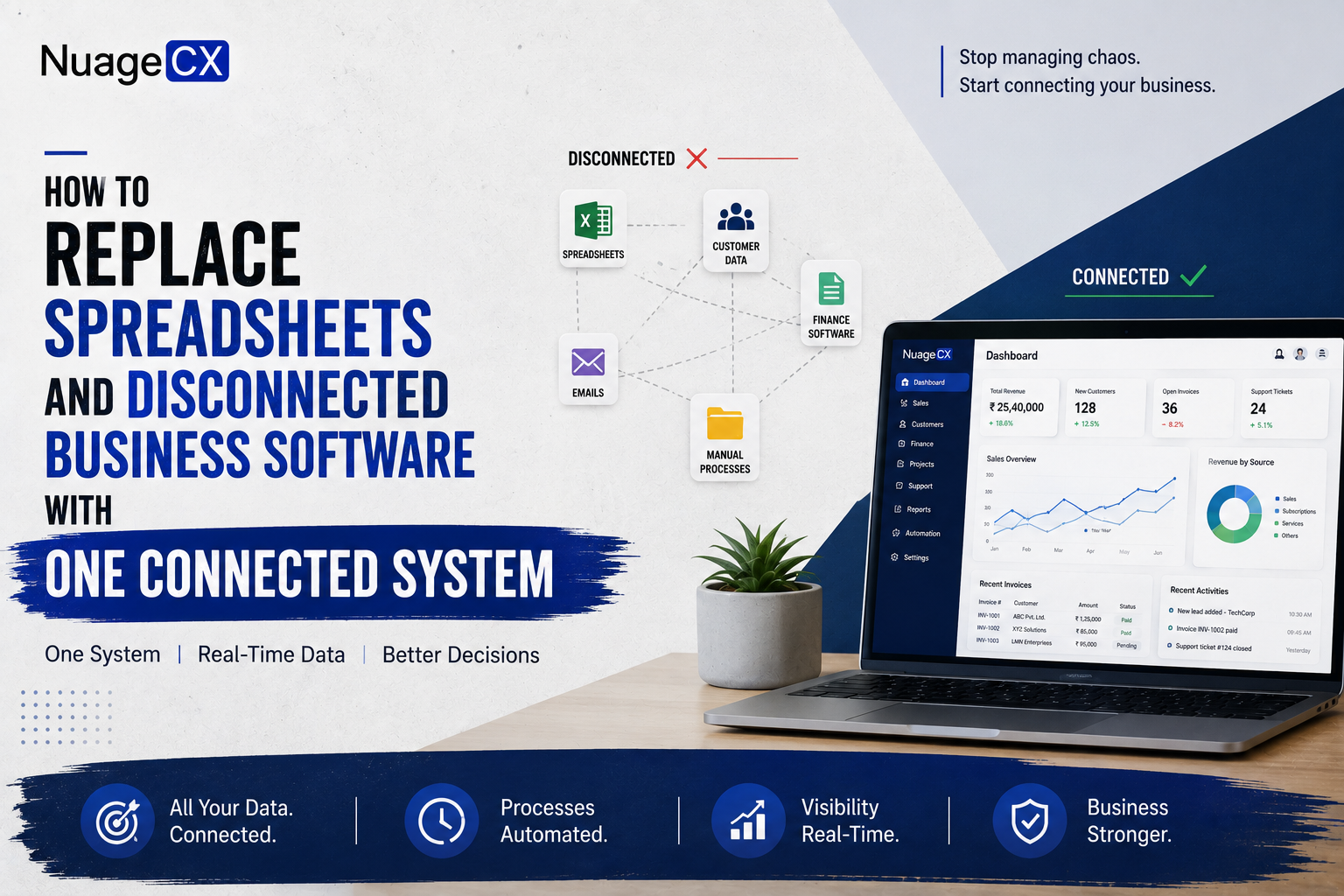
How to Replace Spreadsheets and Disconnected Business Software with One Connected System

Tanmay Dhake
September 2026
How to Replace Spreadsheets and Disconnected Business Software with One Connected System
Still managing customers, sales, finance, HR, operations and support across spreadsheets and disconnected software? Find out how businesses can move to a connected Zoho ecosystem, automate core processes and build a unified Customer 360 business environment.

When a CRM Is Not Enough

Consider a business where the customer journey looks like:
Lead → Sales → Order → Finance → Operations → Support

If CRM only manages the first two stages, employees still need to move information manually through the remaining stages.

That can result in:
CRM → Spreadsheet → Email → Accounting → Spreadsheet → Support

The business has upgraded one part of the operation but still depends on disconnected processes.

A broader business automation environment can connect these stages.

For example:
CRM → Order → ERP → Finance → Support → Analytics

The exact architecture depends on the organization.
But the principle is straightforward.

The customer journey should not stop being connected after the sale.

How to Replace Spreadsheet Based HR Processes

Spreadsheets are also commonly used for internal employee processes.

Businesses may use them for:
• Employee records
• Attendance
• Leave
• Expenses
• Recruitment tracking
• Payroll inputs
• Employee documentation

As employee numbers increase, these processes can become difficult to coordinate.

A connected HR environment can bring employee processes into structured systems.

Depending on the requirement, Zoho applications can support:
Recruitment
Employee management

Attendance and leave
Expenses
Payroll

This is particularly relevant when the objective is to automate the entire business rather than only sales.

The same philosophy applies:
Replace manual records → implement structured processes → connect relevant systems → automate workflows.

What Happens to Your Existing Software?

Moving away from spreadsheets does not necessarily mean replacing every existing application.

Some systems may already be working well.

The real question is:
Should the system be replaced, integrated or retained?

A technology assessment can classify existing applications into:
Keep
Systems that already work effectively.

Replace
Systems creating major operational limitations.

Integrate
Systems that need to exchange information with the new environment.

Retire
Redundant tools that no longer provide sufficient value.

This prevents businesses from creating another unnecessary software ecosystem during transformation.

Why Businesses Outgrow Spreadsheets

Spreadsheets are flexible.

That is exactly why businesses use them for almost everything.

They can manage:
• Leads
• Customer lists
• Sales pipelines
• Inventory
• Expenses
• Employee information
• Project tracking
• Orders
• Reports

But flexibility becomes difficult to manage when multiple people and departments depend on the same information.

Common problems include:
• Multiple versions of the same spreadsheet
• Duplicate customer records
• Manual updates
• Formula errors
• Missing information
• Accidental overwrites
• Limited access control
• Difficult reporting
• Manual data transfers
• No real time departmental visibility

The problem becomes larger as the business grows.

A spreadsheet may be able to store 10,000 customer records.

That does not mean it can effectively manage the processes surrounding those customers.

When spreadsheets become the connection between multiple departments, it is often time to evaluate a connected business system.

Why NuageCX for Spreadsheet Replacement and Business Automation?

Moving from spreadsheets to a connected business environment requires more than software configuration.

NuageCX can help businesses evaluate their existing processes and design a Zoho environment around the way the organization operates.

The implementation can cover:
• CRM
• Sales
• Marketing
• Finance
• Accounting
• ERP
• Inventory
• HRMS
• Payroll
• Projects
• Customer Support
• Analytics
• Operations

The project can also include:
• Business process discovery
• Solution architecture
• Data migration
• Data cleansing
• CRM implementation
• Workflow automation
• System integration
• Customization
• Reporting
• Customer 360 design

The objective is to replace fragmented processes with a connected environment rather than simply moving spreadsheets into another application.

What a Connected Business System Can Look Like

A modern connected business environment can look like:
MARKETING
LEAD GENERATION
CRM
SALES
QUOTATION
ORDER
ERP / OPERATIONS
FINANCE
INVOICE / PAYMENT
CUSTOMER SUPPORT
ANALYTICS

At the same time:
HRMS → Employees → Payroll → Expenses

and:
PROJECTS → Delivery → Customer

All of these processes can contribute relevant information to the broader business environment.

The result is not simply a replacement for spreadsheets.

It is a connected operating system for the business.

How Marketing Fits Into a Connected Business System

Marketing should not operate as an isolated lead generation function.

The customer journey can begin with:
Advertisement → Website → Enquiry → CRM → Sales → Customer

Marketing information can then contribute to understanding the customer's journey.

A connected environment can help businesses create visibility between marketing activity and sales outcomes.

This is particularly useful when management wants to understand:

Which campaigns generated leads
Which leads became opportunities?

Which opportunities became customers?
Which customers generated revenue?

Which channels contributed to customer growth?

This information becomes more valuable when CRM, finance and analytics are connected.

How to Move Customer Data Out of Spreadsheets

Customer data migration is one of the most important parts of moving away from spreadsheets.

A typical spreadsheet may contain:
• Customer names
• Contacts
• Email addresses
• Phone numbers
• Company information
• Deal history
• Products
• Notes
• Payment information
• Service history

But the data may also contain:
• Duplicate records
• Incorrect formats
• Missing fields
• Old customers
• Invalid information
• Inconsistent naming

Simply importing everything into a new CRM can transfer the same problems into the new system.

A better approach is:
Extract → Clean → Deduplicate → Map → Migrate → Validate

This creates a stronger foundation for CRM and Customer 360.

Can You Build Customer 360 Without Replacing Everything?

Yes.

Customer 360 does not require every existing system to disappear.
The objective is to connect relevant customer information.

For example:
CRM → Customer relationship
Finance → Transactions
ERP → Orders and operations
Support → Service history
Marketing → Engagement
Projects → Delivery
Analytics → Business intelligence

These systems can continue serving their respective functions while contributing to a broader customer view.

This is particularly useful for established businesses that already have important applications but want better connectivity.

The transition can therefore be gradual.
Start with the most important customer data.

Connect the highest value systems.
Automate critical workflows.

Then expand the Customer 360 environment.

What Should Replace Your Spreadsheets?

There is no single replacement for every spreadsheet.

Different spreadsheets exist because they solve different business problems.

A lead spreadsheet may be replaced by CRM.
An accounting spreadsheet may be replaced by finance software.

An inventory spreadsheet may be replaced by inventory or ERP software.

An employee tracker may be replaced by HRMS.

A support tracker may be replaced by helpdesk software.
A reporting spreadsheet may be replaced by analytics.

The opportunity is to connect these systems instead of replacing each spreadsheet with another isolated application.

This creates an architecture such as:
CRM
+
Finance
+
ERP
+
HRMS
+
Support
+
Marketing
+
Analytics
+
Automation

The result is a connected business environment.

From Spreadsheets to Customer 360

The journey does not have to stop at spreadsheet replacement.

A business can move through several stages:
Spreadsheets
Structured Applications
Connected Systems
Automated Workflows
Unified Customer Data
Customer 360

This transformation allows businesses to move from managing individual files to managing connected business processes.

Zoho can provide the application ecosystem.

NuageCX can help design and implement the environment around your business requirements.

The objective is a business where customer information is not trapped inside individual departments.

Is Your Business Still Running on Spreadsheets and Disconnected Software?

Spreadsheets are useful when a business is small.
They become a problem when they start running the business.

Customer information sits in Excel.
Sales teams maintain their own pipeline.

Finance uses accounting software.
Operations uses another application.

HR manages employees separately.
Customer support has its own system.

Management combines reports manually.

At this point, the business may have plenty of software but very little connectivity.

The real question is no longer:
"How can we organize our spreadsheets?"

It becomes:
"How can we replace disconnected business processes with one connected system?"

For businesses considering Zoho, this can mean moving from isolated applications and spreadsheets toward a connected business automation environment across CRM, sales, marketing, finance, ERP, HRMS, support and analytics.

The ultimate objective can be a unified Customer 360 view where relevant customer information is connected across the organization.
How CRM, Finance and ERP Can Work Together

One of the biggest advantages of moving away from spreadsheets is connecting the commercial and operational lifecycle.

For example:
Lead
CRM
Deal
Order
ERP
Inventory / Operations
Finance
Invoice
Payment
Support

Instead of manually transferring information between spreadsheets, relevant data can move through connected systems.

This creates a more consistent customer record and reduces repetitive administration.

For businesses with manufacturing, distribution or complex operations, connecting CRM with ERP can be especially valuable.

How to Move From Spreadsheets to a Connected CRM and Business System

A successful transition should be planned rather than treated as a simple software replacement.

A practical process can begin with:
Current System Assessment
Spreadsheet and Software Audit
Business Process Mapping
Data Cleanup
Solution Architecture
Application Selection
Integration Design
Data Migration
Workflow Automation
Testing
User Training
Go Live

This approach helps identify which spreadsheets should disappear, which systems should remain and which processes should be automated.

The objective is not to digitize every existing process exactly as it is.

Some manual processes exist only because the business never had a better system.

Implementation is an opportunity to redesign them.

Should You Replace Spreadsheets With a CRM?

For some businesses, yes.

A CRM can replace spreadsheets used for:
• Lead management
• Customer management
• Sales pipelines
• Follow ups
• Opportunity tracking
• Sales reporting
• Customer communication

This can be a major improvement.
But ask another question before stopping there.

What happens after the sale?
Does finance still use another system?

Does operations still maintain spreadsheets?
Does customer support have another database?

Does HR remain disconnected?
Does management still combine reports manually?

If the answer is yes, implementing a CRM may solve the sales problem without solving the business connectivity problem.

This is why businesses should distinguish between replacing spreadsheets and transforming the way their departments work together.

Why Business Automation Is Better Than Simply Digitizing Spreadsheets

Digitizing a bad process does not necessarily make it a good process.

If employees currently copy customer data from one spreadsheet to another, replacing the spreadsheets with separate applications may simply create the same process digitally.

Business automation goes further.

It asks:
Can the data move automatically?
Can the workflow trigger automatically?

Can the right employee be notified automatically?
Can approvals happen digitally?

Can customer information remain synchronized?
Can management access reports without manually combining files?

This is the difference between replacing a spreadsheet and redesigning a business process.

The goal should be fewer manual handoffs, not simply fewer Excel files.

What Are the Signs That Your Business Has Outgrown Spreadsheets?

Your business may be ready to move beyond spreadsheets if:
• Sales maintains customer data manually
• Employees repeatedly enter the same information
• Finance receives customer details through email
• Managers ask employees for reports manually
• Customer support cannot see sales history
• Sales cannot see relevant payment information
• Operations maintains separate customer records
• Employees spend hours preparing reports
• Multiple versions of the same customer file exist
• Business processes depend on individual employees remembering what to do
• You have multiple software applications that do not communicate
• Management cannot get a complete customer view

These are not simply spreadsheet problems.

They are business process problems.

Replacing spreadsheets with another standalone application may solve one issue while creating another disconnected system.

The better approach is to examine the entire workflow.

Ready to Replace Spreadsheets With a Connected Business System?

If your business is using spreadsheets alongside disconnected CRM, accounting, ERP, HR or support software, the next step may not be another standalone application.

It may be time to redesign the complete system.

NuageCX helps businesses move from fragmented processes toward connected Zoho environments across CRM, sales, marketing, finance, ERP, HRMS, operations, customer support and analytics.

Whether you need to replace spreadsheets, implement Zoho CRM, deploy Zoho One, connect ERP and finance or build a broader Customer 360 environment, the implementation should begin with your actual business processes.

Tell us which spreadsheets and software your business currently depends on and what you want to automate.

Get Your Business Automation Assessment

Can Zoho Replace Multiple Business Applications?

For businesses evaluating a broader software ecosystem, Zoho provides applications across multiple business functions.

Depending on the business requirement, this can include:
• Zoho CRM
• Zoho Books
• Zoho ERP
• Zoho Inventory
• Zoho Desk
• Zoho People
• Zoho Payroll
• Zoho Recruit
• Zoho Projects
• Zoho Analytics
• Zoho Creator
• Zoho Flow
• Zoho Campaigns
• Zoho SalesIQ
• Zoho Expense
• Zoho Sign

This means a business does not necessarily need to search for a separate software vendor for every department.

Zoho One can also be considered when the requirement extends across multiple business functions.

However, the objective should not be to replace 20 spreadsheets with 20 applications.

The objective should be to identify the right applications and connect the workflows between them.


How to Replace Spreadsheet Based Finance Processes

Many businesses use spreadsheets around their accounting system.

They may track:
• Receivables
• Payables
• Customer balances
• Expenses
• Payment follow ups
• Revenue reports
• Internal reconciliations

As transaction volume increases, these processes can become difficult to maintain.

A connected finance environment can provide more structured financial workflows.

Zoho Books can form the accounting and finance layer of a broader Zoho ecosystem.

When connected with CRM and other applications, relevant financial information can participate in the wider customer lifecycle.

For example:
Customer → Deal → Order → Invoice → Payment

This can reduce the need for sales and finance teams to repeatedly exchange information manually.

Why Zoho One Can Be Considered for Complete Business Automation

Businesses that need multiple applications often end up managing several software vendors, subscriptions, logins and integrations.

Zoho One provides a broader suite approach.

Depending on the business, it can support functions across:
• Sales
• CRM
• Marketing
• Finance
• HR
• Operations
• Customer Support
• Projects
• Analytics
• Collaboration

This can make it relevant for organizations looking beyond a standalone CRM.

However, Zoho One should not be selected simply because it contains many applications.

The important question is whether the ecosystem can be designed around your business processes.

That requires implementation planning, application selection, integration and workflow design.

Share this blog

Send us a Message

You Want To Implementing Zoho One

Let's discuss how we can help you achieve similar results with our proven methodologies and expertise.

More Blog Posts

View All

Blog Posts

Explore Our Latest Insights

Browse our complete collection of blog posts featuring industry insights, best practices, and innovative solutions across various technologies.