Ready to start?Request Consulting

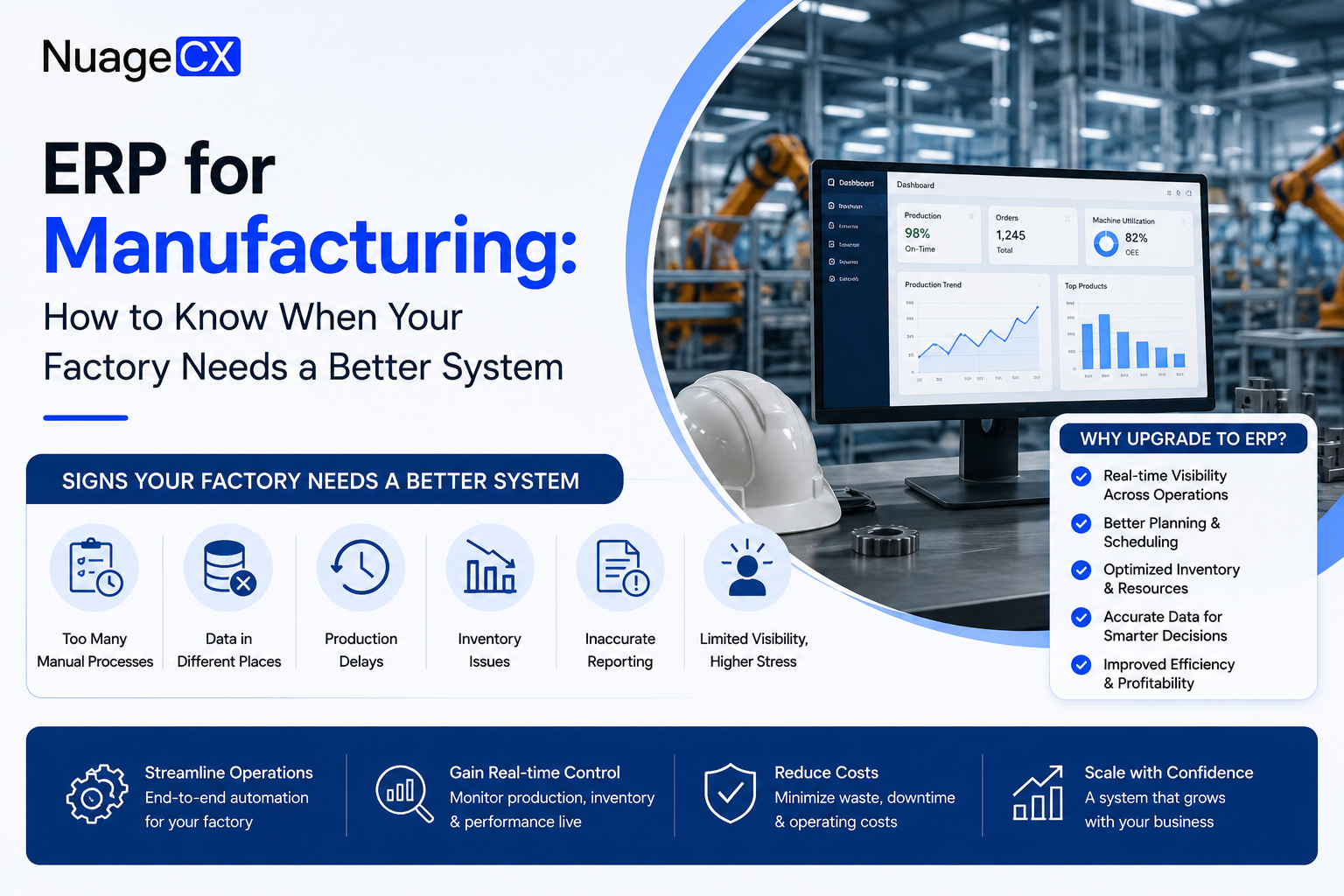
ERP for Manufacturing: How to Know When Your Factory Needs a Better System

Tanmay Dhake
August 2026
ERP for Manufacturing: How to Know When Your Factory Needs a Better System
Manufacturing businesses often outgrow spreadsheets and disconnected software as production, inventory, procurement, sales, and finance become more complex. Learn how to identify ERP requirements and evaluate the right manufacturing ERP approach for your business.

Introduction

ERP for Manufacturing: How to Know When Your Factory Needs a Better System

Manufacturing businesses rarely have just one operational problem.

A customer order can trigger material planning, procurement, inventory movements, production, quality checks, dispatch, invoicing, and financial reporting.

When these processes are managed through spreadsheets, standalone applications, or disconnected systems, the problem is not necessarily that the individual tools are inadequate.

The problem is that the processes are connected, while the systems managing them are not.

This can create questions such as:
Where is the material required for this order?
What inventory is actually available?
Which purchase orders are still pending?
What is currently in production?
Which jobs are delayed?
How much material has been consumed?
What is the actual cost of an order?
Which finished goods are ready for dispatch?
Can finance see the same transaction information as operations?

These are ERP problems because they involve multiple business processes sharing information.

A manufacturing ERP should therefore do more than record transactions.

It should provide a connected operational framework across sales, planning, procurement, inventory, production, quality, dispatch, finance, and reporting.

This guide explains when a manufacturing business should consider ERP, what capabilities it should evaluate, and how to approach implementation.

Why Manufacturing Businesses Need Different ERP Capabilities

A manufacturing business operates differently from a simple trading or service organization.

A customer order may create requirements for:
• Raw materials  
• Components  
• Production capacity  
• Work orders  
• Machine availability  
• Labour  
• Quality inspection  
• Finished goods  
• Dispatch  
• Invoicing

The ERP therefore needs to represent relationships between these transactions.

For example:
Sales Order → Material Requirement → Procurement → Inventory → Production → Quality → Finished Goods → Dispatch → Invoice

If these activities are handled independently, employees may need to manually transfer information between systems.

Manufacturing ERP is designed to reduce this fragmentation by connecting operational processes within a structured system architecture.

10 Signs Your Manufacturing Business Has Outgrown Its Current Systems

1. Production planning is managed through spreadsheets
If planners constantly update spreadsheets to determine what needs to be produced, the process may be difficult to scale.

2. Inventory information is unreliable
If warehouse, production, and purchasing teams have different inventory numbers, decision making becomes difficult.

3. Procurement starts after materials run out
Material requirements should ideally be visible before shortages disrupt production.

4. Sales cannot see production status
Sales teams should not need to call operations every time a customer asks about order status.

5. Production and finance use different information
When production costs and financial records are disconnected, profitability analysis becomes more difficult.

6. BOM information is maintained manually
Bills of materials should be structured and controlled rather than scattered across files.

7. Work orders are difficult to track
Management needs visibility into what is planned, released, in progress, completed, or delayed.

8. Quality records are disconnected
Quality inspections should be associated with relevant materials, production orders, or finished products.

9. Reporting requires manual consolidation
If management reports require data from multiple spreadsheets and applications, the underlying architecture may need improvement.

10. Growth creates more operational complexity
If adding customers, products, employees, machines, warehouses, or orders makes the organization increasingly difficult to manage, the existing system may no longer be scalable.

What Should a Manufacturing ERP Manage?

A manufacturing ERP should be evaluated against the actual production lifecycle.

Depending on the manufacturing model, important capabilities can include:

Sales and order management
Customer enquiries, quotations, sales orders, delivery commitments, and order tracking.

Bill of Materials
Structured definition of components, materials, quantities, and product relationships.

Material planning
Determining material requirements based on demand, inventory, production requirements, and procurement status.

Procurement
Purchase requisitions, purchase orders, vendor management, receipts, and purchasing workflows.

Inventory
Raw materials, work in progress, finished goods, warehouse movements, transfers, and stock visibility.

Production
Production orders, work orders, operations, consumption, output, and production status.

Quality
Inspection procedures, quality checkpoints, rejected quantities, and corrective processes where required.

Dispatch
Finished goods availability, shipment preparation, delivery, and order fulfilment.

Finance
Invoices, vendor bills, expenses, receivables, payables, and financial reporting.

Analytics
Production, inventory, procurement, sales, and financial performance reporting.

The exact module structure depends on the manufacturing model and ERP platform.

Engineer to Order vs Make to Order vs Make to Stock

One of the most important questions before selecting a manufacturing ERP is:
How does your business produce its products?

Different manufacturing models create different ERP requirements.

Engineer to Order
Products are engineered specifically for individual customer requirements.

The process may look like:
Customer Requirement → Engineering → Design → BOM → Procurement → Production → Quality → Delivery

ERP requirements can include project based production, engineering information, revisions, custom BOMs, procurement planning, and order specific costing.

Make to Order
Products are manufactured after receiving customer demand.

The process may look like:
Sales Order → Material Planning → Procurement → Production → Quality → Dispatch

The ERP needs to connect customer demand with production and material requirements.

Make to Stock
Products are manufactured based on forecast or expected demand and stored as inventory.

The process may look like:
Demand Forecast → Production Planning → Procurement → Production → Finished Goods → Inventory → Sales

Inventory planning and demand visibility become particularly important.

The manufacturing model should therefore influence ERP architecture from the beginning.

ERP for Production Planning and Material Requirements

Production cannot be planned effectively without understanding material availability.

A manufacturing ERP can connect:
Demand → BOM → Material Requirement → Inventory → Procurement → Production

For example, if a product requires:
• Component A  
• Component B  
• Component C

The system should help determine whether these materials are available, already ordered, or need to be procured.

This reduces the dependency on manually checking multiple spreadsheets.

The objective is not simply to display inventory.

It is to connect inventory information with production requirements.

ERP for Inventory and Warehouse Management

Inventory management becomes increasingly complex as manufacturing grows.

A manufacturer may need to track:
• Raw materials  
• Components  
• Work in progress  
• Finished goods  
• Scrap  
• Rejected material  
• Warehouse transfers  
• Batch or serial information where applicable

The ERP should provide visibility into stock movements and inventory status.

A useful inventory architecture connects:
Purchase Receipt → Raw Material Inventory → Material Issue → Production → Finished Goods → Dispatch

This creates a traceable transaction flow instead of maintaining separate records for each stage.

ERP for Procurement

Procurement and production are tightly connected.

If materials are not available, production can stop.
If too much material is purchased, working capital can be tied up unnecessarily.

Manufacturing ERP should therefore connect procurement with actual requirements.

A typical process can be:
Material Requirement → Purchase Requisition → Approval → Purchase Order → Goods Receipt → Quality Check → Inventory

This provides greater visibility into:
• Required materials  
• Ordered quantities  
• Pending purchases  
• Vendor commitments  
• Received quantities  
• Material availability

Procurement becomes part of the production process rather than an isolated purchasing activity.

ERP for Production Costing

Manufacturers need to understand not only how much they produce, but also what it costs to produce it.

Production costing may involve:
• Raw material cost  
• Labour cost  
• Machine or operation cost  
• Overheads  
• Subcontracting  
• Scrap  
• Wastage

The level of costing sophistication required depends on the manufacturing model.

For businesses producing customized or project based products, order specific costing can become particularly important.

ERP can help connect production transactions with financial information, allowing management to analyze cost and profitability using more structured data.

ERP for Quality Management

Quality should not exist as an isolated spreadsheet after production is complete.

Depending on the business, quality processes can be connected to:
• Incoming materials  
• Production operations  
• Work orders  
• Finished goods  
• Vendors  
• Customer requirements

For example:
Purchase Receipt → Inspection → Accept / Reject → Inventory

Or:

Production → Quality Check → Accept / Rework / Reject → Finished Goods

This creates greater traceability between operational transactions and quality decisions.

ERP for Manufacturing Reporting

Manufacturing management requires more than financial reporting.

Important operational metrics can include:
• Production output  
• Production plan vs actual  
• Material consumption  
• Inventory levels  
• Procurement status  
• Production order status  
• Order fulfilment  
• Rejection and scrap  
• Machine or operation utilization where supported  
• Production costs

The value of reporting depends on the quality and structure of the underlying transaction data.
A dashboard cannot fix fragmented processes.

The ERP architecture must first capture reliable operational information.

How ERP Connects Manufacturing With Finance

One of the biggest advantages of an integrated ERP environment is connecting operational activity with financial transactions.

Consider:
Sales Order → Production → Material Consumption → Finished Goods → Dispatch → Invoice → Payment

Each stage generates business information.

When these transactions are connected, finance and management can obtain a clearer view of the relationship between operations and financial performance.

This can reduce the need for manual reconciliation between production and accounting teams.

The exact accounting treatment depends on the ERP platform and the organization's accounting requirements.

How to Choose the Right Manufacturing ERP

Do not start ERP selection with a list of software features.

Start with your manufacturing processes.

Document:
Products
What do you manufacture?

Manufacturing model
Is it Engineer to Order, Make to Order, Make to Stock, or a combination?

Production
How are production orders created and tracked?

Materials
How are requirements calculated?

Procurement
How are purchase requirements generated and approved?

Inventory
How many warehouses and inventory locations exist?

Quality
Where are inspections required?

Costing
How is product or order profitability calculated?

Integrations
Which existing systems must connect to ERP?

Reporting
What information does management need?

Then compare ERP platforms against these requirements.

This prevents the common mistake of selecting an ERP because it has an impressive feature list without confirming whether it fits the actual manufacturing process.

Should a Manufacturing Business Choose Zoho ERP?

The answer depends on the organization's manufacturing requirements.

Businesses should evaluate:
• Manufacturing model  
• Product complexity  
• BOM requirements  
• Production workflows  
• Inventory structure  
• Procurement  
• Warehouses  
• Quality requirements  
• Costing  
• Integrations  
• Users  
• Reporting  
• Customization requirements

Zoho ERP can be considered when the organization's requirements align with the platform's capabilities and implementation architecture.

For businesses already using multiple Zoho applications, the evaluation should also consider how the ERP environment will connect with the existing Zoho ecosystem.

A proper assessment should happen before implementation.

Explore Zoho ERP to understand the broader ERP approach, or discuss your manufacturing requirements with an implementation specialist through Zoho ERP implementation services.

What Does Manufacturing ERP Implementation Involve?

Manufacturing ERP implementation requires more than enabling a manufacturing module.

A typical project can include:
Business Discovery → Process Mapping → Requirements → Solution Architecture → Configuration → Customization → Data Migration → Integrations → Testing → UAT → Training → Go Live

The implementation team may need to configure:
• Products  
• BOMs  
• Warehouses  
• Vendors  
• Customers  
• Workflows  
• Approval rules  
• Production processes  
• Inventory transactions  
• User permissions  
• Reports

Existing data may also need to be cleaned and migrated.

Integrations with CRM, accounting, e commerce, logistics, portals, or other applications may need to be developed and tested.

This is why manufacturing ERP should be treated as an operational transformation project rather than a simple software deployment.

Manufacturing ERP Implementation Checklist

Before starting implementation, confirm:
☐ Manufacturing model is documented
☐ Products are defined
☐ BOM structure is available
☐ Production processes are mapped
☐ Material requirements are identified
☐ Warehouses are documented
☐ Procurement processes are defined
☐ Quality checkpoints are identified
☐ Costing requirements are documented
☐ Existing systems are mapped
☐ Integration requirements are identified
☐ Migration data is identified
☐ User roles are defined
☐ Reporting requirements are documented
☐ UAT scenarios are prepared
☐ Training requirements are identified

A clear implementation scope makes ERP deployment easier to estimate, manage, and validate.

Frequently Asked Questions

What is manufacturing ERP?
Manufacturing ERP is an enterprise resource planning system designed to connect manufacturing processes such as production, inventory, procurement, material planning, quality, sales, and finance.

What are the benefits of ERP for manufacturing?
Manufacturing ERP can improve process integration, inventory visibility, production tracking, procurement coordination, reporting, workflow automation, and connection between operations and finance.

What is the difference between manufacturing ERP and regular ERP?
Manufacturing ERP includes capabilities specifically relevant to production environments, such as BOMs, work orders, material requirements, production planning, inventory, and manufacturing workflows.

Can ERP manage Engineer to Order manufacturing?
ERP can support Engineer to Order processes when the platform and implementation architecture support the required engineering, BOM, revision, project, procurement, production, costing, and order management requirements.

Can ERP support Make to Order manufacturing?
Yes. Make to Order environments can use ERP to connect customer orders with material requirements, procurement, production, inventory, and fulfilment.

Can ERP support Make to Stock manufacturing?
Yes. Make to Stock environments can use ERP to connect demand planning, production, procurement, inventory, and sales processes.

Is ERP better than spreadsheets for manufacturing?
ERP is generally more appropriate when manufacturing processes become complex, interconnected, and transaction intensive. Spreadsheets can still be useful for analysis and supporting calculations.

What should a manufacturer look for in ERP?
Evaluate manufacturing model, BOMs, production, material planning, inventory, procurement, quality, costing, integrations, reporting, scalability, and customization requirements.

How much does manufacturing ERP implementation cost?
Cost depends on users, manufacturing complexity, modules, customization, data migration, integrations, warehouses, workflows, testing, training, and support. There is no single implementation cost applicable to every manufacturer.

Do manufacturers need an ERP implementation partner?
An implementation partner can help with process discovery, manufacturing requirements, solution architecture, configuration, customization, migration, integrations, testing, training, and go live.

Conclusion

Manufacturing ERP should solve an operational problem, not simply replace spreadsheets with a new interface.

The strongest reason to implement ERP is usually the need to connect processes that are already dependent on each other.

Sales → Planning → Procurement → Inventory → Production → Quality → Dispatch → Finance

When these processes operate through disconnected systems, manufacturing teams spend more time transferring, reconciling, and validating information.

A properly designed ERP architecture can create a more connected operational environment.

Before selecting an ERP, define your manufacturing model, document your processes, identify integration requirements, and determine which capabilities are genuinely required.

For businesses considering Zoho ERP, the next step should be a requirements based assessment rather than a generic product demonstration.

Evaluate Your Manufacturing ERP Requirements With NuageCX

Not sure whether your manufacturing business needs Engineer to Order, Make to Order, Make to Stock, or a combination of workflows?

NuageCX can assess your production processes, BOM structure, procurement, inventory, quality, costing, integrations, reporting, and existing software to determine an appropriate ERP implementation approach.


Share this blog

Send us a Message

You Want To Implementing Zoho One

Let's discuss how we can help you achieve similar results with our proven methodologies and expertise.

More Blog Posts

View All

Blog Posts

Explore Our Latest Insights

Browse our complete collection of blog posts featuring industry insights, best practices, and innovative solutions across various technologies.