Ready to start?Request Consulting

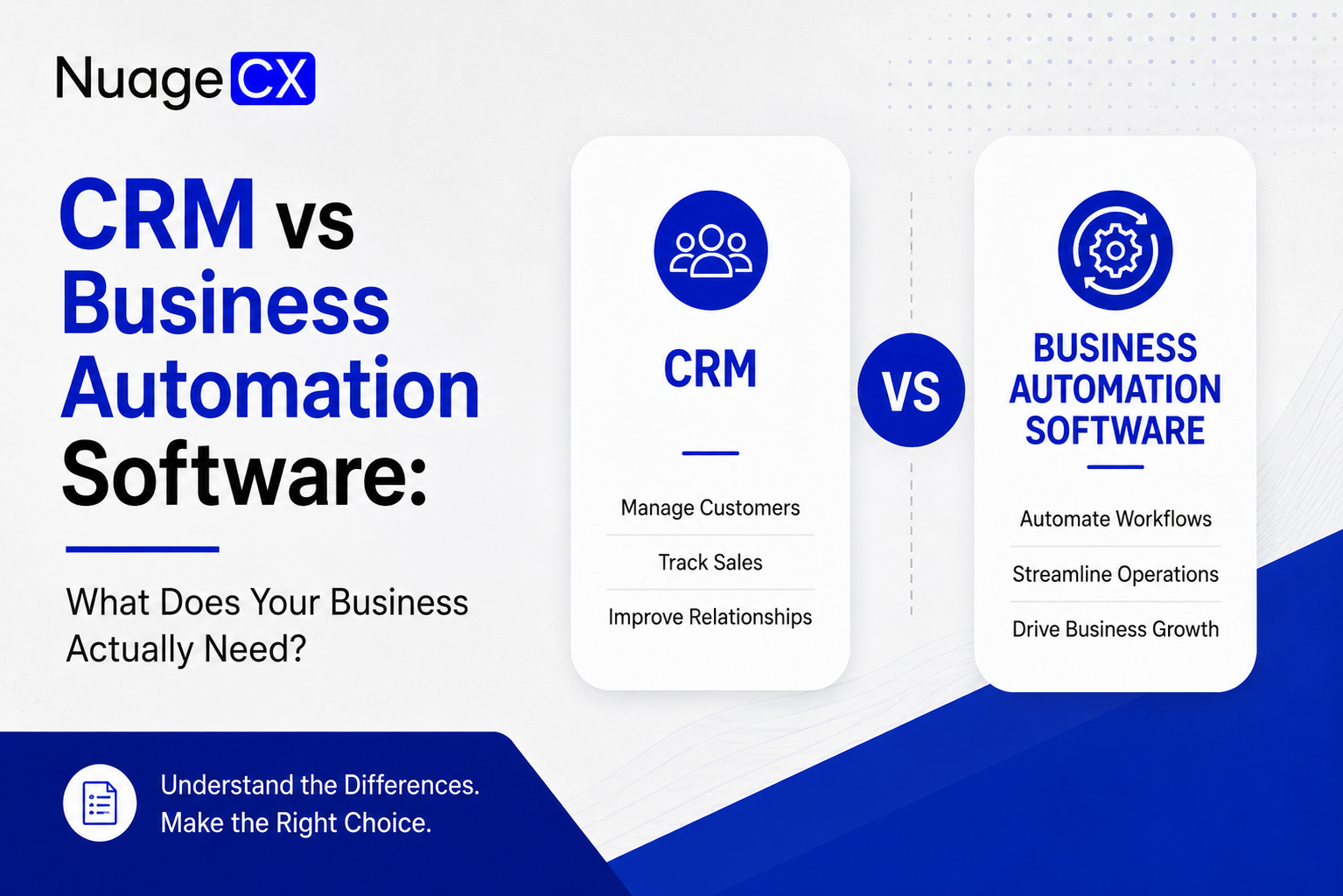
CRM vs Business Automation Software: What Does Your Business Actually Need?

Tanmay Dhake
September 2026
CRM vs Business Automation Software: What Does Your Business Actually Need?
Looking for CRM software but wondering whether your business needs something more? Compare CRM and business automation software to understand when you need sales automation and when you need a connected system across CRM, finance, ERP, HR, marketing, operations, customer support and analytics with Zoho and Customer 360.

CRM or Business Automation Software: Which One Does Your Business Actually Need?

If you are searching for CRM software, there is a good chance your actual requirement is bigger than CRM.

You may want to manage leads, automate sales follow ups and organize customer information.

But you may also want to connect accounting, finance, marketing, ERP, HR, inventory, customer support, projects and reporting.

That changes the question.

Instead of asking:

"Which CRM should we buy?"

you may need to ask:

"How can we automate and connect our entire business?"

A CRM can become an important part of that system, but it does not necessarily represent the entire system.

For businesses looking to reduce manual work, eliminate disconnected software and create a complete view of every customer, the distinction between CRM and business automation matters.

This is also where Zoho becomes relevant.

Rather than treating CRM, finance, HR, ERP, support and analytics as completely separate software decisions, businesses can build a connected Zoho environment around their actual processes.

And when those systems are connected around the customer, the result can move toward a Customer 360 business model.

What Does a CRM Actually Solve for Your Business?

CRM software is primarily built around customer relationships and sales.

A typical CRM environment helps businesses manage:
• Leads
• Contacts
• Accounts
• Opportunities
• Sales pipelines
• Follow ups
• Sales activities
• Customer communication
• Sales forecasting
• Customer records

For a sales team, this can eliminate a major amount of manual administration.

Instead of managing prospects through spreadsheets, email threads and individual notes, sales teams can work from a structured customer and opportunity database.

A CRM can also automate parts of the sales process.

For example:
Website enquiry → Lead → Assignment → Qualification → Follow up → Opportunity → Proposal → Deal

This is valuable.

But the customer's journey does not end when the deal is closed.

The customer may then move into:
Order → Finance → Payment → Operations → Delivery → Support → Renewal

This is where businesses often discover that they do not only need a CRM.
They need the systems around the CRM to work together.

When Is a CRM Enough?

A standalone CRM may be sufficient when your primary business requirement is sales and customer relationship management.

For example, your business may primarily need:
• Lead management
• Contact management
• Sales pipeline management
• Follow up automation
• Sales reporting
• Customer communication
• Deal management

If finance, operations, support and other departments already have systems that work effectively and do not require significant integration, a CRM focused implementation may be the right approach.

But the requirement changes when your business depends on multiple connected processes.

Consider a company where:
Marketing generates leads.

Sales qualifies them.
Finance creates quotations and invoices.

Operations fulfils orders.
HR manages the employees delivering the service.

Support handles customer requests.
Management needs consolidated reporting.

Now the business is no longer dealing with only a sales problem.

It has a business connectivity problem.
That is where broader business automation becomes relevant.

When Does Your Business Need More Than a CRM?

You should consider a broader business automation approach when your teams repeatedly move information between different applications.

Common signs include:
• Sales manually sends customer information to finance
• Finance creates customer records separately
• Marketing cannot connect campaigns with sales outcomes
• Operations cannot see current customer requirements
• Support cannot easily access sales history
• Management combines multiple reports manually
• Employees repeatedly enter the same information
• Customer information exists in several different systems
• Spreadsheets are used to connect systems that should already be integrated

These problems are not necessarily caused by a poor CRM.
They are caused by disconnected business processes.

At this stage, replacing one CRM with another may not solve the underlying issue.

The business needs to look at the complete technology architecture.

CRM vs Business Automation Software: The Key Difference

The simplest way to understand the difference is:
CRM manages the customer relationship.

Business automation connects the processes around the customer relationship.

CRM can help your sales team answer:
Who is this prospect?
What is the current deal stage?

When should we follow up?
What has the salesperson discussed?

What is the expected value of the opportunity?

Business automation can help answer much broader questions:
What happened after the deal was won?
Was the customer invoiced?

Was the payment received?
Was the order fulfilled?

Does the customer have an open support issue?
Which marketing campaigns influenced the customer?

What is the customer's overall value?
Which operational processes are connected to this customer?

This is the difference between managing one part of the customer lifecycle and connecting the entire lifecycle.

What Does Full Business Automation Look Like?

A connected business automation environment can be designed around the complete customer and operational journey.

For example:
Marketing
Lead Generation
CRM
Sales
Quotation
Order
ERP / Operations
Inventory / Fulfilment
Finance
Invoice
Payment
Customer Support
Analytics

At the same time, internal business processes can connect:
Recruitment
Employee Onboarding
HRMS
Attendance / Leave
Expenses
Payroll

Projects and collaboration can also operate as connected processes depending on the business requirement.

The important point is that these functions do not have to operate as isolated software islands.
The objective is to create the right connections between them.

Where Does Zoho Fit Into Business Automation?

This is where businesses considering Zoho can move beyond the traditional CRM question.

Zoho provides applications across a broad range of business functions.

These can include:
• Zoho CRM for customer and sales management
• Zoho Books for accounting and finance
• Zoho Inventory for inventory management
• Zoho ERP for broader operational requirements
• Zoho People for employee management
• Zoho Recruit for recruitment
• Zoho Payroll for payroll processes
• Zoho Desk for customer support
• Zoho Projects for project management
• Zoho Analytics for business intelligence
• Zoho Creator for custom business applications
• Zoho SalesIQ for website engagement
• Zoho Campaigns for marketing
• Zoho Flow for workflow integration
• Zoho Expense for expense management
• Zoho Sign for digital signatures

The right combination depends on your business.
You do not need every application simply because it exists.

You need the applications that solve your actual business requirements and the integrations that allow them to work together.

Zoho CRM vs Zoho One: Which Approach Makes More Sense?

The answer depends on the scope of your requirement.

If you primarily need customer relationship and sales automation, Zoho CRM may be the logical starting point.

If your requirement extends across multiple departments, Zoho One can provide a broader ecosystem for connecting business functions.

A CRM focused implementation may involve:
CRM → Sales → Customer Management

A broader business automation implementation may involve:
CRM → Marketing → Sales → Finance → ERP → HR → Operations → Support → Analytics

This does not mean Zoho One is automatically the right choice for every business.

The right approach should be determined by your existing systems, processes, employee structure, customer journey, data requirements and future growth plans.

That assessment should happen before implementation.


What Happens When CRM and Finance Are Connected?

Consider the transition from sales to finance.

Without integration:
Sales closes the deal.
Finance receives an email.

Someone creates a customer record.
Someone enters the transaction.

An invoice is generated.
The teams reconcile the information manually.

With a connected environment:
Deal → Customer → Order → Invoice → Payment

Relevant information can move between the appropriate systems based on configured workflows.

This can reduce duplicate data entry and make the transition between sales and finance more structured.

Zoho CRM and Zoho Books can form part of this connected environment.

The same principle can extend to other applications.
CRM can connect with ERP.

CRM can connect with support.
CRM can connect with marketing.

Finance can connect with inventory.
Operations can connect with analytics.

The architecture should be based on how information actually moves through your business.

What Happens When CRM and ERP Are Connected?

For manufacturing, distribution, retail and operationally complex businesses, the relationship between CRM and ERP can be critical.

Sales may need to know:
• Product availability
• Order status
• Inventory
• Production status
• Delivery information
• Customer order history

Operations may need information originating from sales.
Finance may need information originating from orders.

Support may need information from both sales and operations.

A connected environment can create a flow such as:
Customer → CRM → Order → ERP / Inventory → Fulfilment → Finance → Support

This creates visibility across the customer and operational lifecycle.

For businesses with manufacturing or complex operational requirements, the ERP architecture may also include procurement, production, project workflows, inventory and custom applications.

What Happens When CRM and Customer Support Are Connected?

Closing a deal is not the end of the customer relationship.

Customers may need:
• Onboarding
• Technical support
• Service
• Renewals
• Account management
• Additional products
• Troubleshooting

If support operates separately from CRM, the support team may only see the current ticket.

A connected environment can give the team access to relevant customer context.

For example:
Customer → Sales History → Products / Services → Previous Interactions → Support Tickets → Open Opportunities

This can help the support team understand the relationship instead of treating every ticket as an isolated interaction.

Zoho Desk can form part of this customer experience layer while Zoho CRM manages customer and sales relationships.


What Happens When CRM and Marketing Are Connected?

Marketing generates interest.

Sales converts that interest into revenue.

When the two systems are disconnected, it becomes difficult to understand the complete customer journey.

A connected marketing and CRM environment can help businesses track:
Campaign → Lead → Qualification → Opportunity → Customer
This allows marketing and sales teams to work from a more connected view.

The same customer can be understood through both:
Marketing engagement

and

Sales activity.

That information becomes even more valuable when it is eventually connected with finance, support and customer activity.

This is how businesses can move from individual department data toward a broader Customer 360 view.

How Customer 360 Changes the CRM Requirement

A traditional CRM question is:
"What does our sales team know about this customer?"

A Customer 360 question is:
"What does our business know about this customer?"

That difference is significant.

A Customer 360 environment can bring together relevant information from:
CRM → Customer and sales history
Marketing → Campaign engagement
Finance → Invoices and payments
ERP → Orders and operations
Inventory → Product information
Support → Service history
Projects → Delivery information
Analytics → Business performance

The objective is not to expose every piece of information to every employee.

The objective is to make the right customer context available to the right team.

This can support better:
• Sales decisions
• Account management
• Customer service
• Retention
• Cross selling
• Upselling
• Renewals
• Customer experience
• Management decisions

Customer 360 is therefore not simply another software product.

It is the result of connecting the relevant systems around the customer.

Why Buying Software Is Not the Same as Automating Your Business

A business can purchase CRM, ERP, accounting, HRMS and support software and still have a fragmented operation.

Why?

Because software does not automatically redesign your business processes.

Before implementation, you need to understand:
• Which systems currently exist
• Where customer data is stored
• Which processes are manual
• Which teams depend on each other
• Which workflows should be automated
• Which systems need integration
• Which information should be synchronized
• Which reports management needs
• Which customer information should be available across departments

This is why implementation matters.

The objective should not be:
"Install Zoho."

The objective should be:
"Design and implement the right business system using Zoho."

Why NuageCX for CRM and Business Automation?

NuageCX approaches Zoho implementation from the business process rather than starting with a software license.

The implementation can begin with an assessment of:
• Current software
• Business processes
• Customer journey
• Sales process
• Finance workflows
• ERP requirements
• HR processes
• Support processes
• Marketing requirements
• Data structure
• Integration requirements
• Reporting requirements

From there, the appropriate Zoho architecture can be designed.

Depending on the business, this can involve Zoho CRM, Zoho One, Zoho Books, Zoho ERP, Zoho Inventory, Zoho People, Zoho Payroll, Zoho Desk, Zoho Analytics, Zoho Projects, Zoho Creator and other applications.

NuageCX also supports customization, integrations, data migration, workflow automation and ongoing optimization.

The objective is to create a connected business environment that employees can actually use and management can actually understand.

Which One Does Your Business Need: CRM or Business Automation?

Choose a CRM focused solution when your primary requirement is:
• Lead management
• Sales pipeline management
• Customer relationship management
• Sales automation
• Follow up management
• Sales reporting

Consider broader business automation when your business needs to connect:
• CRM
• Sales
• Marketing
• Finance
• Accounting
• ERP
• Inventory
• HRMS
• Projects
• Customer Support
• Analytics
• Operations

Consider a Customer 360 approach when your business wants relevant information from these systems to contribute to one connected customer view.

The decision should therefore not be based only on the number of CRM features.

It should be based on what your business needs to automate and connect.

Your CRM Could Be the Beginning, Not the Entire Solution

For many businesses, CRM is the logical starting point.
It provides the foundation for customer and sales management.

But as the business grows, more processes become connected to the customer.
Sales connects with finance.

Finance connects with orders.
Orders connect with operations.

Operations connect with support.
Marketing connects with sales.

HR supports the people running the business.
Analytics connects the information management needs to make decisions.

This is where the CRM becomes part of a much larger business automation architecture.

With the right Zoho implementation, businesses can move from:
Standalone CRM

to

Connected Business Automation

and ultimately toward:
Customer 360.

Ready to Find Out What Your Business Actually Needs?

If you are currently searching for CRM software, business automation software, ERP, accounting software or a way to connect your departments, you do not necessarily need to start by choosing an application.

Start with your business.
Identify what is disconnected.

Identify where employees are repeating work.
Identify where customer information is fragmented.

Identify which departments need to share information.
Then design the right technology architecture around those requirements.

NuageCX helps businesses assess, implement, integrate, customize and optimize Zoho solutions across CRM, sales, marketing, finance, ERP, HR, operations, customer support and analytics.

Whether you need Zoho CRM or a complete connected Zoho environment, the goal is the same:

Build a business that works as one connected system.

Share this blog

Send us a Message

You Want To Implementing Zoho One

Let's discuss how we can help you achieve similar results with our proven methodologies and expertise.

More Blog Posts

View All

Blog Posts

Explore Our Latest Insights

Browse our complete collection of blog posts featuring industry insights, best practices, and innovative solutions across various technologies.